
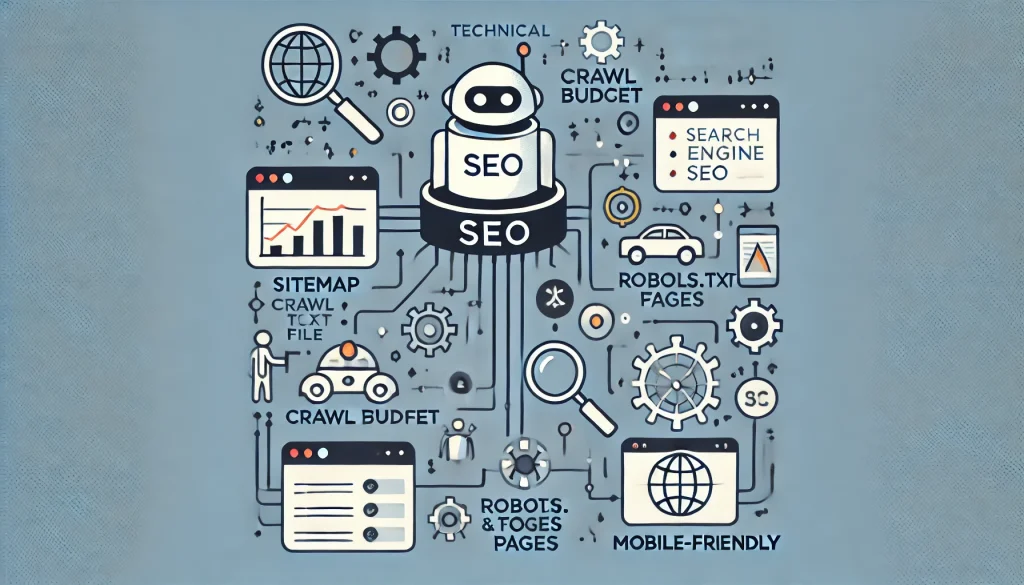
No website can be formed without foundation mean’s ‘Technical SEO’. With the help of technical SEO, a website can be discovered , crawled and indexed properly by search engines. An SEO person should know about the basics of technical SEO so that all the efforts for getting desired results in SEO could be in the right direction and fruitful.
This article will take you through two aspects of technical SEO, crawling and indexing and provide actionable tips to ensure your website performs well in search engine rankings.
What is Website Crawling?
Definition of Crawling in SEO
Crawling is the process by which search engines, like Google, use bots (also known as spiders or crawlers) to scan and read web pages. These bots follow links to explore new content, identifying fresh or updated material on websites.
How Do Search Engine Bots Work?
Search engine bots systematically visit websites, reading their content, and following internal and external links to discover more pages. They return this data to the search engine to store in its index.
Types of Crawlers
Different search engines use various crawlers, such as Googlebot for Google and Bingbot for Bing. Each has its own rules and limitations, but the goal is to scan as many websites as efficiently as possible.
Crawl Budget and Its Importance
Crawl budget refers to the number of pages a search engine bot can crawl on your website within a given time frame. Factors such as site architecture, server speed, and page load times influence how effectively your site is crawled. Prioritizing important pages ensures that they are crawled and indexed more frequently.
What is Indexing in SEO?
Once a bot crawls your website, the search engine decides whether the page should be stored (indexed) in its massive database. Indexing is how search engines organize and understand the information they’ve crawled.
The Difference Between Crawling and Indexing
Difference between crawling and indexing, crawling is the act of discovering a web page, whereas indexing is the process of storing it in the search engine’s database for future retrieval in search results. Just because a page is crawled doesn’t mean it will be indexed.
The Indexing Process
- Crawl: The search engine crawls the page using its bots.
- Analyze: The content is analyzed for relevance, quality, and SEO signals.
- Store: If deemed valuable, the page is stored in the search engine’s index, making it eligible to appear in search results.
- Rank: Search engines assess the page’s value based on hundreds of ranking factors and decide where it should appear in search results.
Factors That Affect Crawling and Indexing
1. Robots.txt File
The robots.txt file is a tool to control which parts of your site search engines can and cannot crawl. Incorrect configurations can block important pages from being crawled, so it’s vital to ensure your robots.txt is correctly set up.
2. Meta Tags and No index Directive
The no index meta tag tells search engines not to index certain pages. This is helpful for managing duplicate content or low-value pages you don’t want appearing in search results.
3. Sitemaps
XML sitemaps are lists of URLs on your website that help search engines discover and crawl them. Submitting a well-optimized sitemap to Google Search Console ensures all relevant pages are easily found.
4. Site Architecture and Internal Linking
Clear, logical site architecture and internal links make it easier for search engines to crawl all your pages. A flat structure (where important pages are only a few clicks from the homepage) can improve crawl efficiency.
5. Page Speed and Mobile-Friendliness
Slow-loading pages can deter crawlers, leading to fewer pages being indexed. Additionally, with Google’s mobile-first indexing, ensuring your site is mobile-friendly is critical for successful crawling and indexing.
6. Structured Data and Schema Markup
Using structured data (e.g., schema markup) helps search engines better understand your content, improving the chances of it being properly indexed and shown in rich snippets.
7. Broken Links and Redirect Chains
404 errors and long redirect chains waste crawl budget and can confuse search engine bots. Regularly audit your site to ensure all links are functional and direct to appropriate pages.
Crawl Budget: What Is It and How to Optimize It?
Definition of Crawl Budget
Crawl budget is the number of pages a search engine will crawl on your site in a given time. A limited crawl budget can lead to important pages being missed or not crawled frequently enough.
How to Increase Your Crawl Budget
- Eliminate unnecessary pages: Use the no index tag for pages that don’t need to be indexed (e.g., privacy policies, tag pages).
- Optimize for faster loading times: Pages that load quickly make crawling more efficient.
- Use internal links: Guide crawlers to your most important content by linking to it from key pages like your homepage.
Tools to Monitor Crawling and Indexing
1. Google Search Console
Google Search Console provides valuable data on crawl errors, indexed pages, and overall site performance. The URL Inspection tool is especially useful for seeing how Googlebot interacts with your pages.
2. Screaming Frog
This SEO tool helps identify crawl issues by simulating how a search engine bot crawls your site. It’s perfect for diagnosing broken links, redirects, and missing metadata.
3. Ahrefs / SEMrush
Both tools offer site audit functions that highlight issues impacting crawlability and indexability, including duplicate content and page load times.
4. Log File Analysis
Analyzing server logs can reveal how often search engines crawl your site, which pages they visit, and where potential crawl issues exist.
Common Crawling and Indexing Issues
Crawl Errors
Crawl errors, such as DNS or server issues, can prevent search engines from accessing your site. Fixing these errors quickly is essential for maintaining crawlability.
Indexing Issues
Pages may be blocked from indexing due to misconfigured meta tags, duplicate content, or canonicalization issues. Auditing these factors can help identify and fix indexation problems.
Thin Content
Thin content refers to pages with little or no valuable content, making them less likely to be indexed. Improving the quality of your content can boost indexation.
Orphan Pages
Orphan pages, or pages without any internal links, are difficult for search engines to find. Ensuring all your pages are linked from within your site is essential for proper crawling.
Advanced Tactics for Better Crawling and Indexing
1. Crawl Depth Optimization
Pages that are too deep in your site structure (more than three clicks from the homepage) may not be crawled as often. Flattening your site architecture can improve crawlability.
2. Pagination and Infinite Scroll Management
Managing pagination (series of pages) correctly, using rel=“prev” and rel=“next” tags, ensures that bots can crawl through multiple page sets. For infinite scroll, a hybrid solution with clickable links for bots is recommended.
3. Faceted Navigation
Filters or sorting options on e-commerce sites can create multiple versions of the same content. Optimizing faceted navigation prevents crawl traps and duplicate content.
4. JavaScript and Crawlability
JavaScript-heavy sites can make it difficult for bots to crawl your content. Employ SEO-friendly JavaScript frameworks or provide server-side rendering to make your site more crawlable.
How to Improve Crawl and Index Performance
Practical Steps to Improve Crawling
- Submit an XML sitemap.
- Regularly update and audit your robots.txt file.
- Improve site speed and ensure mobile compatibility.
Technical Optimizations for Indexability
- Use meta tags and structured data properly.
- Fix broken links and remove unnecessary redirects.
- Update content regularly to encourage frequent indexing.
Conclusion
Crawling and indexing are vital for any successful SEO strategy. By ensuring your site is optimized for both, you increase the likelihood of search engines discovering, understanding, and ranking your content. Regular audits and optimizations are key to keeping your site accessible to search engines, resulting in better visibility and more organic traffic.