
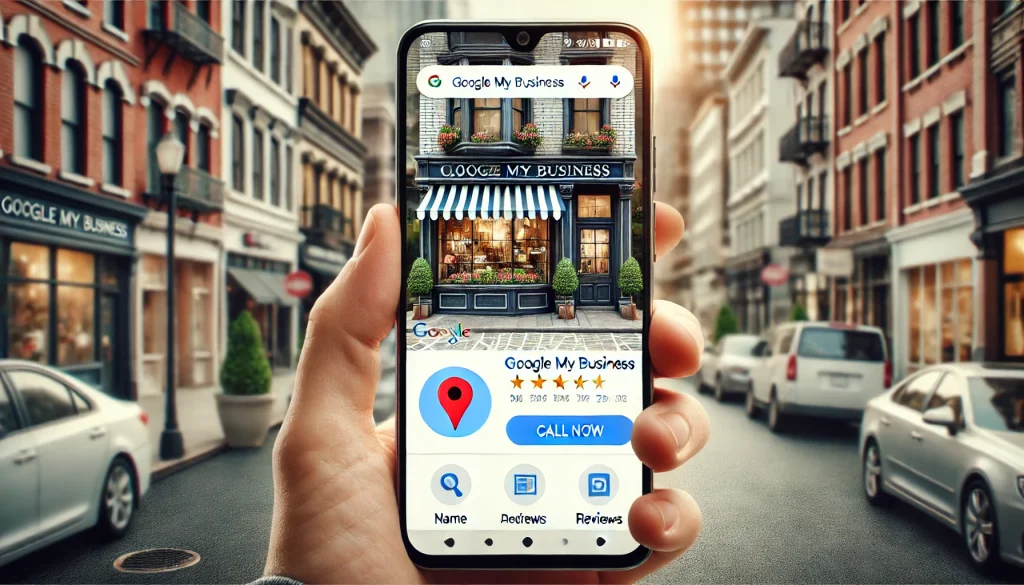
How to Optimize Your Google My Business (GMB) Profile for Local SEO and Lead Generation
For businesses looking to improve their online presence and attract local customers, Google My Business (GMB), now referred to as Google Business Profile, is an essential tool. Whether you own a small shop or run a service-based business, GMB plays a critical role in boosting your local SEO, improving your local search rankings, and generating more leads. This article will guide you on how to leverage your Google Business Profile for optimal results.
What is Google My Business (GMB)?
Google My Business (GMB) is a free service offered by Google that allows businesses to create a detailed profile to appear in Google Search and Maps. This profile includes important information such as your NAP (Name, Address, Phone Number), business hours, and customer reviews. A well-optimized GMB profile increases your chances of showing up in the Local 3-Pack, the top three business results in local searches, and can significantly boost your lead generation.
Why is Google My Business Important for Local SEO?
1. Boosts Local Search Rankings
For businesses that rely on local customers, showing up in local search rankings is vital. GMB is designed specifically to help businesses rank for local searches. Optimizing your GMB listing with relevant keywords, such as “plumber in [city]” or “best restaurant near me,” can help you rank higher on Google Search and Google Maps, making it easier for potential customers to find you.
2. Improves Business Visibility
Having a fully optimized Google Business Profile increases your business’s online presence. When potential customers search for services or products you offer, Google prioritizes businesses that have accurate and comprehensive GMB profiles. This visibility is further boosted when you receive positive customer reviews and maintain an active profile.
How to Optimize Your Google My Business Profile for Local SEO
1. Accurate and Consistent NAP Information
One of the most critical elements of local SEO is ensuring that your NAP (Name, Address, Phone Number) is accurate and consistent across the web. This means that your business information must match exactly on your GMB profile, website, social media pages, and other online directories. Business information accuracy helps Google trust your listing, improving your chances of ranking in the Local 3-Pack.
2. Leverage Customer Reviews for Reputation Marketing
Customer reviews play a significant role in your GMB optimization strategy. Positive reviews serve as social proof that your business offers quality products or services, which can attract more potential customers. You should encourage satisfied customers to leave reviews on your GMB listing, as this can enhance your online reputation and improve your local search rankings.
Reputation marketing through positive reviews can also directly impact customer decisions. When someone reads glowing feedback about your business, they are more likely to engage with your services. Remember to respond to both positive and negative reviews to show potential customers that you care about feedback and customer service.
3. Use Relevant Keywords in Your Business Description
Just like regular SEO, including relevant keywords in your GMB business description helps improve your ranking for local searches. Incorporate terms like “best hair salon in [city]” or “local electricians near me” into your description, services, and posts. Google uses these keywords to understand what your business offers and match it with search queries.
4. Update Business Information Regularly
Keeping your business information accurate and up-to-date is crucial. This includes updating your working hours during holidays, adding new services or products, and making sure that your contact information is current. If you have multiple locations, ensure that each location has a separate GMB profile with accurate NAP details.
5. Use Calls-to-Action (CTAs)
Engage potential customers by adding calls-to-action (CTAs) to your GMB profile and posts. Phrases like “Book an Appointment,” “Call Now,” or “Visit Our Store” encourage immediate customer interaction. You can use these CTAs in GMB posts, which are updates you can share directly on your profile. These posts can highlight promotions, new products, or business news, keeping your audience informed and engaged.
How Google Maps Plays a Role in Lead Generation
One of the major benefits of a well-optimized GMB profile is that it boosts your presence on Google Maps. When users search for local services, Google often provides results via the Maps interface, showing businesses that are closest to the user’s location. Appearing prominently on Google Maps not only increases visibility but also makes it easier for customers to find directions to your business, call you directly, or visit your website.
GMB Listings and Lead Generation
An optimized GMB listing is a powerful tool for lead generation. When your business appears in the Local 3-Pack, the chances of generating quality leads increase significantly. People searching for services in their area are often ready to make a purchase or book a service, so appearing in these results can lead to direct inquiries, visits to your website, and phone calls.
Additionally, by providing detailed information about your products, services, and business hours, you reduce the number of barriers between potential customers and your business. Combined with positive customer reviews, this makes your business more trustworthy and appealing, which directly impacts your ability to generate leads.
Conclusion
Optimizing your Google My Business (GMB) profile is essential for any local business looking to improve its online presence and generate more leads. By ensuring your NAP details are accurate, encouraging social proof reviews, using effective calls-to-action, and regularly updating your business information, you can improve your local search rankings and potentially appear in the coveted Local 3-Pack.
Your Google Business Profile is a key element of your overall search engine optimization (SEO) strategy. It not only helps you rank higher but also makes your business more discoverable on Google Maps and Google Search results. Follow these best practices, and you’ll be on your way to gaining more visibility, better reviews, and increased lead generation.